Article
Build a posture checker with pose estimation
Use MediaPipe Pose and a webcam to catch slouching and forward head in real time. Calculate angles from landmarks, calibrate to yourself, and get reminders.
On this page0%
- How it works
- Install
- Landmarks we use
- Step 1 — Helper functions
- Step 2 — Measurements
- Step 3 — Calibrate to yourself
- Step 4 — Decide what counts as bad
- Step 5 — Avoid false alarms with a timer
- Step 6 — The full loop
- Side-view version: forward head
- Send a desktop reminder
- Accuracy and privacy notes
- FAQ
- How can I detect bad posture with Python?
- Why calibrate instead of using fixed thresholds?
- What is the visibility score in MediaPipe Pose?
- Does this work with a laptop webcam?
- Next reading on Sythra Articles
Hours at a desk turn into a slow forward slump. A webcam and a pose model can watch for it and nudge you — no wearable required. This project turns body landmarks into two simple measurements, calibrates them to your posture, and warns you when you drift. It builds on the same pose pipeline as the push-up counter.
How it works
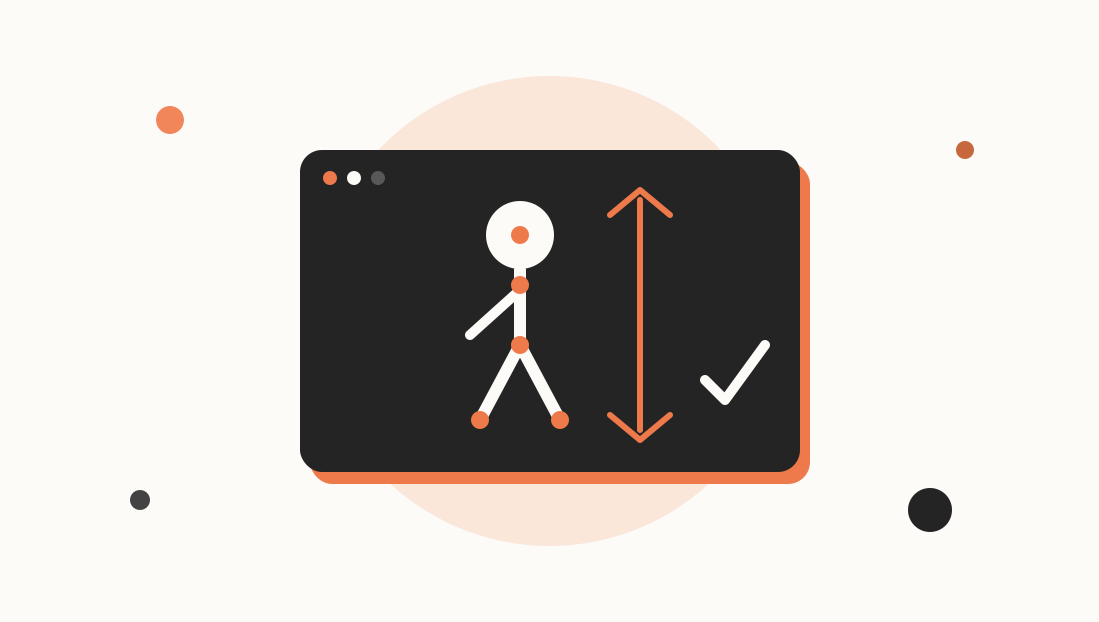
Pose estimationFinding the position of body joints such as shoulders, ears and hips in an image gives us points. Posture is geometry on those points. We measure two things:
- Shoulder tilt — is one shoulder higher than the other? (works from the front)
- Forward head — how far is the ear ahead of the shoulder? (works best from the side, or three-quarter view)
You pick one camera angle. Front-facing is the easiest to set up on a laptop, so we start there and add the side-view measurement afterwards.
Install
python -m pip install opencv-python mediapipe numpy
Landmarks we use
MediaPipe Pose returns 33 landmarks with x, y normalised to 0–1 and a visibility score.
| Landmark | Constant |
|---|---|
| Left / right ear | PoseLandmark.LEFT_EAR, RIGHT_EAR |
| Left / right shoulder | PoseLandmark.LEFT_SHOULDER, RIGHT_SHOULDER |
| Nose | PoseLandmark.NOSE |
Step 1 — Helper functions
import math
import cv2
import mediapipe as mp

mp_pose = mp.solutions.pose
mp_draw = mp.solutions.drawing_utils
L = mp_pose.PoseLandmark


def point(lm, idx, w, h):
    p = lm[idx]
    return p.x * w, p.y * h, p.visibility


def tilt_degrees(left, right):
    """Angle of the line joining two points relative to horizontal."""
    dx = right[0] - left[0]
    dy = right[1] - left[1]
    return math.degrees(math.atan2(dy, dx))


def distance(a, b):
    return math.hypot(a[0] - b[0], a[1] - b[1])
Step 2 — Measurements
Shoulder tilt. With a mirrored front view, if the shoulders are level the line between them is horizontal, so the angle is near 0. A persistent lean shows up as a larger angle.
Head drop (front view). When you slouch toward the screen your head moves down relative to your shoulders and your shoulders rise in the frame. A scale-independent measure is the vertical gap between nose and shoulder-midpoint, divided by shoulder width:
def posture_metrics(lm, w, h):
    ls = point(lm, L.LEFT_SHOULDER, w, h)
    rs = point(lm, L.RIGHT_SHOULDER, w, h)
    nose = point(lm, L.NOSE, w, h)

    if min(ls[2], rs[2], nose[2]) < 0.5:
        return None                                   # landmarks not reliable

    shoulder_width = distance(ls, rs)
    if shoulder_width < 1:
        return None

    mid = ((ls[0] + rs[0]) / 2, (ls[1] + rs[1]) / 2)
    return {
        "tilt": abs(tilt_degrees(ls, rs)),
        "head_gap": (mid[1] - nose[1]) / shoulder_width,   # bigger = head held higher
    }
Dividing by shoulder_width is the important trick: the numbers stay meaningful whether you sit close to the camera or far from it.
Step 3 — Calibrate to yourself
There is no universal "good" number. Body proportions and camera angle vary, so measure a few seconds of your good posture and use that as the baseline:
def calibrate(cap, pose, seconds=5):
    import time
    tilt, gap = [], []
    start = time.time()
    while time.time() - start < seconds:
        ok, frame = cap.read()
        if not ok:
            continue
        frame = cv2.flip(frame, 1)
        h, w = frame.shape[:2]
        res = pose.process(cv2.cvtColor(frame, cv2.COLOR_BGR2RGB))
        if res.pose_landmarks:
            m = posture_metrics(res.pose_landmarks.landmark, w, h)
            if m:
                tilt.append(m["tilt"])
                gap.append(m["head_gap"])
        cv2.putText(frame, "Sit up straight - calibrating...", (20, 40),
                    cv2.FONT_HERSHEY_SIMPLEX, 1, (0, 255, 255), 2)
        cv2.imshow("Posture", frame)
        cv2.waitKey(1)

    if not gap:
        raise RuntimeError("No pose detected during calibration")
    return {
        "tilt": sum(tilt) / len(tilt),
        "head_gap": sum(gap) / len(gap),
    }
Step 4 — Decide what counts as bad
Compare each frame with the baseline and allow a margin:
TILT_MARGIN = 6.0          # degrees of extra shoulder tilt
GAP_DROP_RATIO = 0.80      # head_gap falling below 80% of baseline = slouching


def judge(metrics, baseline):
    problems = []
    if metrics["tilt"] > baseline["tilt"] + TILT_MARGIN:
        problems.append("shoulders uneven")
    if metrics["head_gap"] < baseline["head_gap"] * GAP_DROP_RATIO:
        problems.append("head dropping / slouching")
    return problems
Step 5 — Avoid false alarms with a timer
Reaching for a coffee is not bad posture. Only warn when the problem lasts:
import time

BAD_SECONDS = 5
bad_since = None


def update_alert(problems):
    """Return True once the problem has persisted long enough."""
    global bad_since
    if problems:
        if bad_since is None:
            bad_since = time.time()
        return time.time() - bad_since >= BAD_SECONDS
    bad_since = None
    return False
Step 6 — The full loop
def main():
    cap = cv2.VideoCapture(0)
    with mp_pose.Pose(
        min_detection_confidence=0.6,
        min_tracking_confidence=0.6,
    ) as pose:
        baseline = calibrate(cap, pose)
        print("Baseline:", baseline)

        while True:
            ok, frame = cap.read()
            if not ok:
                break
            frame = cv2.flip(frame, 1)
            h, w = frame.shape[:2]

            res = pose.process(cv2.cvtColor(frame, cv2.COLOR_BGR2RGB))
            status, colour = "no person", (200, 200, 200)

            if res.pose_landmarks:
                mp_draw.draw_landmarks(frame, res.pose_landmarks, mp_pose.POSE_CONNECTIONS)
                m = posture_metrics(res.pose_landmarks.landmark, w, h)
                if m:
                    problems = judge(m, baseline)
                    if update_alert(problems):
                        status = "FIX POSTURE: " + ", ".join(problems)
                        colour = (0, 0, 255)
                    elif problems:
                        status, colour = "check posture...", (0, 165, 255)
                    else:
                        status, colour = "good", (0, 200, 0)

            cv2.putText(frame, status, (20, 40),
                        cv2.FONT_HERSHEY_SIMPLEX, 1, colour, 2)
            cv2.imshow("Posture", frame)
            if cv2.waitKey(1) & 0xFF == ord("q"):
                break

    cap.release()
    cv2.destroyAllWindows()


if __name__ == "__main__":
    main()
Side-view version: forward head
Place the camera to your side. Now the ear sitting ahead of the shoulder is visible directly. Measure the angle between the shoulder→ear line and the vertical:
def forward_head_angle(lm, w, h, side="left"):
    ear_id = L.LEFT_EAR if side == "left" else L.RIGHT_EAR
    sh_id = L.LEFT_SHOULDER if side == "left" else L.RIGHT_SHOULDER
    ear = point(lm, ear_id, w, h)
    sh = point(lm, sh_id, w, h)
    dx = ear[0] - sh[0]
    dy = sh[1] - ear[1]               # positive when the ear is above the shoulder
    return abs(math.degrees(math.atan2(dx, dy)))
An upright head gives a small angle (ear almost straight above the shoulder). As the head juts forward the angle grows. Calibrate the same way and flag when it exceeds your baseline by about 10–15 degrees.
Send a desktop reminder
Beeps and on-screen text are easy to miss. On Windows:
import winsound
winsound.Beep(880, 300)
For cross-platform notifications, try the plyer package (notification.notify(title=..., message=...)).
Accuracy and privacy notes
- Good, even lighting matters more than camera quality. Avoid a bright window behind you.
- The model reports landmarks even when guessing. The
visibilitycheck inposture_metricsis what stops it judging you on invented points. - Everything here runs locally. No frames are saved or uploaded, and you should keep it that way if you share the tool with others.
- This is a nudge tool, not a medical device. Persistent pain deserves a professional, not a webcam.
FAQ
How can I detect bad posture with Python?
Use a pose model like MediaPipe Pose to get shoulder, ear and nose positions, calculate shoulder tilt or the ear-to-shoulder angle, and compare them with a baseline captured while you sit correctly.
Why calibrate instead of using fixed thresholds?
Camera angle, distance and body proportions change the raw numbers. A baseline from your own good posture makes the comparison fair, and normalising by shoulder width keeps it scale-independent.
What is the visibility score in MediaPipe Pose?
Each landmark has a visibility value from 0 to 1 estimating how likely it is to be visible. Ignore landmarks with low visibility so you do not act on guessed positions.
Does this work with a laptop webcam?
Yes. A front view from a laptop works for shoulder tilt and head drop. For forward head posture, a side view gives a cleaner measurement.