Article
LLM tokens, context windows and cost: a budget guide
Understand what tokens are, count them before you send a request, stay inside the context window, and estimate and cut the cost of every LLM call in Python.
On this page0%
- What is a token?
- Count tokens before you send
- The context window
- What does a call cost?
- Where the tokens actually go
- Seven ways to cut tokens
- Guard against runaway inputs
- Keeping a chat within budget
- Latency follows tokens too
- Add a usage log from day one
- FAQ
- What is a token in an LLM?
- What is a context window?
- How do I count tokens before calling the API?
- Why is my chatbot getting more expensive over time?
- Next reading on Sythra Articles
Every LLM bill, every "context length exceeded" error and every slow response traces back to one unit: the token. If you do not know how many tokens your application sends and receives, you are guessing about cost, latency and whether it will break on the first long input. This guide makes the numbers visible.
What is a token?
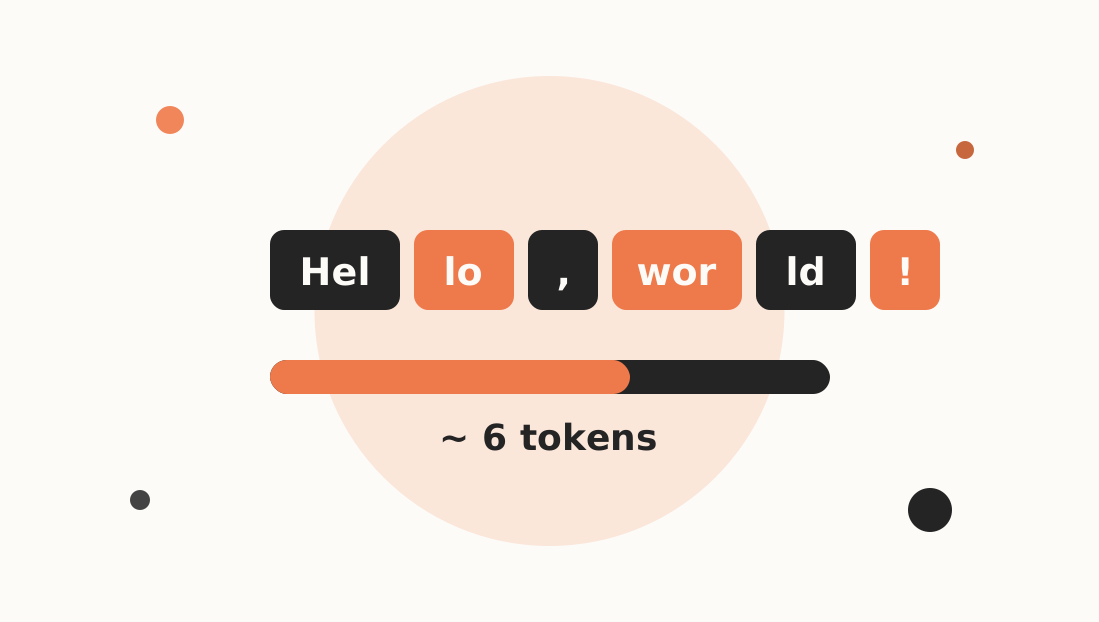
A tokenA chunk of text — often a word piece, a short word or a punctuation mark — that the model reads and writes as a single unit is not a word and not a character. Models split text into pieces from a fixed vocabulary:
"Hello, world!"          → about 4 tokens
"unbelievably"           → maybe 3 pieces: "un" "believ" "ably"
"The quick brown fox"    → about 4 tokens
Rules of thumb for English prose: one token is roughly four characters or three-quarters of a word. Rules of thumb break down for:
- Code — symbols, indentation and unusual identifiers use more tokens per character
- Non-English text — often noticeably more tokens for the same meaning
- Numbers, URLs, JSON — fragment into many small pieces
So never convert by feel for anything important. Count.
Count tokens before you send
Anthropic's API provides a token-counting call that uses the real tokenizer for the model you choose:
import os
import anthropic

client = anthropic.Anthropic(api_key=os.environ["ANTHROPIC_API_KEY"])

MODEL = "claude-sonnet-5-5"

count = client.messages.count_tokens(
    model=MODEL,
    system="You are a concise assistant.",
    messages=[{"role": "user", "content": "Explain gradient descent in two sentences."}],
)
print(count.input_tokens)
Counting happens before generation and does not produce an answer, so use it for planning, guarding and cost previews. Check the current docs for the exact method on your SDK version, since APIs evolve.
You also get exact numbers after every call, in the response:
message = client.messages.create(
    model=MODEL,
    max_tokens=300,
    messages=[{"role": "user", "content": "Explain gradient descent in two sentences."}],
)

print(message.usage.input_tokens)    # what you sent
print(message.usage.output_tokens)   # what the model wrote
Log these two numbers for every request. They are the foundation of every cost report.
The context window
The context windowThe maximum number of tokens a model can consider at once: your input plus its output is a hard limit shared by everything:
system prompt + conversation history + retrieved documents + the model's reply ≤ context window
Two consequences people forget:
- Output counts too. If you fill the window with input, nothing is left for the answer.
max_tokensis the cap on output you allow. - Chat history grows. In a chatbot you resend the whole conversation every turn, so turn 20 costs far more than turn 1.
Look up the current context size for your model in the provider's documentation rather than hard-coding a remembered number; limits change between model versions.
What does a call cost?
Providers charge separately for input and output tokens, with output typically costing more per token. Cost is just arithmetic. Put the current prices from the pricing page into constants:
# Fill in from the provider's current pricing page (dollars per million tokens)
PRICE_INPUT_PER_M = 0.0
PRICE_OUTPUT_PER_M = 0.0


def cost_of(usage) -> float:
    return (
        usage.input_tokens * PRICE_INPUT_PER_M
        + usage.output_tokens * PRICE_OUTPUT_PER_M
    ) / 1_000_000
Multiply by your expected volume:
cost per day = calls per day × average cost per call
A call that costs a fraction of a cent looks free until you run it a hundred thousand times a day. Do the multiplication before launch.
Where the tokens actually go
Measure the parts of a request separately and you will usually find a surprise:
def breakdown(system, history, user_msg):
    parts = {
        "system": client.messages.count_tokens(
            model=MODEL, system=system,
            messages=[{"role": "user", "content": "."}],
        ).input_tokens,
        "history": client.messages.count_tokens(
            model=MODEL, messages=history + [{"role": "user", "content": "."}],
        ).input_tokens if history else 0,
        "user": client.messages.count_tokens(
            model=MODEL, messages=[{"role": "user", "content": user_msg}],
        ).input_tokens,
    }
    return parts
(The numbers overlap slightly because each call includes message framing; treat them as estimates showing relative size.)
Typical offenders:
- A giant system prompt resent on every call
- Full chat history that nobody trims
- Retrieved chunks that are far longer than needed (RAG chunking controls this)
- JSON with verbose keys and pretty-printed indentation
- Asking for long explanations when a short answer would do
Seven ways to cut tokens
- Trim history. Keep the last N turns, or summarise older turns into a short note.
- Retrieve less, retrieve better. Send the top 3 well-chosen chunks rather than 10 mediocre ones.
- Shorten the system prompt. Delete rules that no test case needs.
- Cap output. Set
max_tokensand ask for brevity: "answer in under 80 words". - Use prompt caching for large static prefixes (a long system prompt or document reused across calls); see the provider's caching docs for how to mark cacheable content.
- Route by difficulty. Send simple tasks to a smaller, cheaper model and reserve the large model for hard ones.
- Batch non-urgent work. Many providers discount asynchronous batch processing.
Guard against runaway inputs
A user pastes an entire book. Without a guard, you either hit an error or pay for it. Check before calling:
MAX_INPUT_TOKENS = 20_000


def safe_ask(system, user_text):
    n = client.messages.count_tokens(
        model=MODEL,
        system=system,
        messages=[{"role": "user", "content": user_text}],
    ).input_tokens

    if n > MAX_INPUT_TOKENS:
        raise ValueError(f"Input too long: {n} tokens (limit {MAX_INPUT_TOKENS})")

    return client.messages.create(
        model=MODEL,
        max_tokens=500,
        system=system,
        messages=[{"role": "user", "content": user_text}],
    )
Return a friendly message to the user instead of letting the exception surface.
Keeping a chat within budget
A simple sliding window that drops the oldest turns once history exceeds a token budget:
def trim_history(history, system, budget=6000):
    trimmed = list(history)
    while len(trimmed) > 2:
        used = client.messages.count_tokens(
            model=MODEL, system=system, messages=trimmed
        ).input_tokens
        if used <= budget:
            break
        trimmed = trimmed[2:]          # drop the oldest user+assistant pair
    return trimmed
Better systems summarise the dropped turns into a short memory note instead of discarding them entirely.
Latency follows tokens too
Output tokens are generated one after another, so response time grows roughly with output length. Long answers are slow answers. If perceived speed matters, stream the response so users see words immediately, and keep outputs short.
Add a usage log from day one
import csv
import time


def log_usage(version, usage, path="usage_log.csv"):
    with open(path, "a", newline="", encoding="utf-8") as f:
        csv.writer(f).writerow([
            time.strftime("%Y-%m-%d %H:%M:%S"),
            version,
            usage.input_tokens,
            usage.output_tokens,
        ])
A week of logs shows your average and worst-case request, which tell you what to optimise and what to budget.
FAQ
What is a token in an LLM?
A token is the basic unit of text a language model processes — usually a word fragment, short word or punctuation mark. English averages about four characters per token, but code and other languages use more.
What is a context window?
It is the maximum number of tokens a model can handle in one request, covering the system prompt, conversation, documents and the generated reply combined.
How do I count tokens before calling the API?
Use the provider's token-counting endpoint (for Anthropic, client.messages.count_tokens) or read usage.input_tokens and usage.output_tokens from each response.
Why is my chatbot getting more expensive over time?
Each turn resends the entire history, so input tokens grow with every message. Trim or summarise old turns and cache static prefixes.